Networked Media, Produce This!

One topic. Three search engines. And yet, there can only be one…

In a bid to determine which is my preferred search engine, I will be comparing the results fo-

WHAT?!?! You mean Google ISN’T the only search engine on the Internet?

I know, crazy right? And yet, it’s true. Despite the fact that it has been the dominant player in Search for more than a decade now, Google isn’t the only search engine available.

Hey, what about me?

Hey, what about me? (Image via Mashable)

So anyway, where was I?

You were going to compare the results fo-

Oh yes, that’s right. I am going to compare the top 3 results for the topic of ‘Interactive Fiction’ on the search engines Google, DuckDuckGo and Instagrok.

Why only three?

I’m only comparing the top 3 results because I believe that an effective search engine should return the most relevant results first (plus I don’t have all day to conduct a more rigorous analysis, so three results will have to do.)

Round One: Google

In any race, Google is always going to be the clear favourite. It’s an easy browser to use and the sheer volume of data behind it makes finding even the most obscure things possible (if you know how to search effectively!)
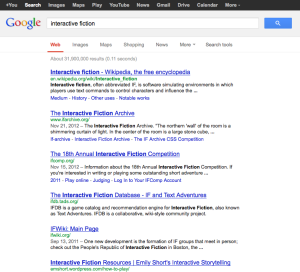
sr-google

  1. Interactive fiction – Wikipedia
  2. The Interactive Fiction Archive
  3. The 18th Annual Interactive Fiction Competition

The top 3 results in this case are a little disappointing. If I wanted to read about IF on Wikipedia, I’d go there directly. The IF Archive is useful, and so warrants a top 3 spot. The 2012 IF Competition is probably not so relevant for a basic search on IF, especially if you’re just after general information about the genre.

Round Two: DuckDuckGo

After reading up a little on DuckDuckGo, I like it already. Their stance on privacy is simple and awesome, for example.
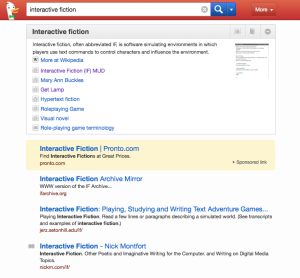
sr-duckduckgo

  1. The Interactive Fiction Archive
  2. Interactive Fiction: Playing, Studying and Writing Text Adventure Games
  3. Interactive Fiction – Nick Montfort

The top 3 results for IF in DuckDuckGo are somewhat more relevant than the Google ones. They lead to websites that would be much more useful if I was writing an essay about IF (as they contain reference to lots of scholarly articles).

Round Three: Instagrok

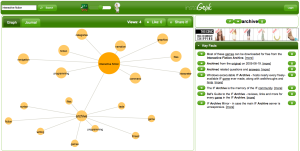
OK, wait. I don’t even understand what this is? A mind map?
sr-instagrok

Me either, to be honest. But after spending some time playing around with Instagrok, I started to get a better idea of how it actually works. I’m not even sure that I can pin down the top 3 search results, because the site doesn’t work in a linear way.

You start with the key search term in the middle, and there are associated keywords that branch out from it. Clicking a different key word returns different search results (which are more tailored in that sense). If I had the time to sit and play around with the site, it could be a valuable search tool. The fact of the matter is, I don’t have the time; I just want quick and relevant search results like everyone else.

The Results

At the end of the day, each of the sites returned results that were a) essentially relevant to the topic (to varying degrees), and b) reasonably similar. So I’m picking my preferred search engine based on something much more important to me: Privacy. Google is a nightmare when it comes to privacy, and I’m not really sure what Instagrok’s stance is on the issue. DuckDuckGo has a clear and definitive position on privacy, making it the clear winner in this instance.

Making DuckDuckGo my default search engine

This is pretty easy. You simply go to the DuckDuckGo homepage and select “Add to browser” from the bottom right-hand corner. The option to install the browser add-on/extension for DDG will then appear. All you need to do from there is follow the installation prompts. A small icon featuring Dex the Duck should appear next to your address bar and clicking on it will bring up the search function without you even needing to visit their website!

What is your preferred search engine and why? Had you even heard of DuckDuckGo or Instagrok before today? Share your thoughts in the comments below!


Standard
Subscription Addiction

In the post: January Bellabox and HoH 1960 goodies!

I received my January Bellabox in the post yesterday. I was eager to get it because it was late to arrive and I was excited after I saw the preview of potential box items on the BB website.

When I actually opened my Bellabox, however, I was more than a little disappointed with the contents.

This month's Bellabox felt a little bare to say the least

This month’s Bellabox felt a little bare to say the least

This month’s contents:

  • Swisse Body Wash with Vitamin B3 & Macrobiotic Sea Minerals
  • Plunkett’s 99% Pure Aloe Vera Cooling Gel
  • Innoxa Nail Polish in ‘Grape’
  • The Little Alchemist Cacao & Banana Face Glow
  • Natio Pure Mineral Skin Perfecting BB Cream SPF15

The consensus in and around social media circles is that this month’s box was pretty disappointing and people weren’t happy to receive items that were far from “luxury” products. Many have even gone so far as to cancel their subscriptions over it. It could just be that January is a hard month to fill beauty box orders, as businesses are closed over Christmas and marketing products straight after the holidays isn’t a high priority. I’ll wait and see what the February box is like before I pass final judgement on the matter, however.

In much more exciting news, my order from House Of Harlow 1960 arrived and I was a lot happier when I opened that package! I bought the Cross Hoop Earrings and Engraved Triangle Pendant Necklace (both on sale, and then even further discounted with a nifty code from RetailMeNot!)

cross-hoop-earringsengraved-triangle-pendant-necklace

Both items are gorgeous, fantastic quality and purchased at a great price. I can’t believe I hadn’t seen any HoH accessories before a couple of weeks ago. The aesthetic of the brand really suits my style, I love it!

Standard
Networked Media, Produce This!

Researching productivity, productively

I’ve been doing a lot of thinking recently about ways to become more productive. I really want to reduce the clutter in my life (both the physical, and the mental) in order to be able to work smarter and use my time more effectively.

Ironically, it never occurred to me that I could just use my RSS reader to research a topic. Yes, I know that I could just do a simple Google search, but we all know how much junk one needs to trawl through before you find the one or two relevant pieces of information you actually need. And I already have a collection of 30-40 blogs whose authors I trust to provide relevant, high-quality content – I just didn’t think to use the search feature to quickly find what I’m looking for without having to manually visit each one (epic fail on my part!)

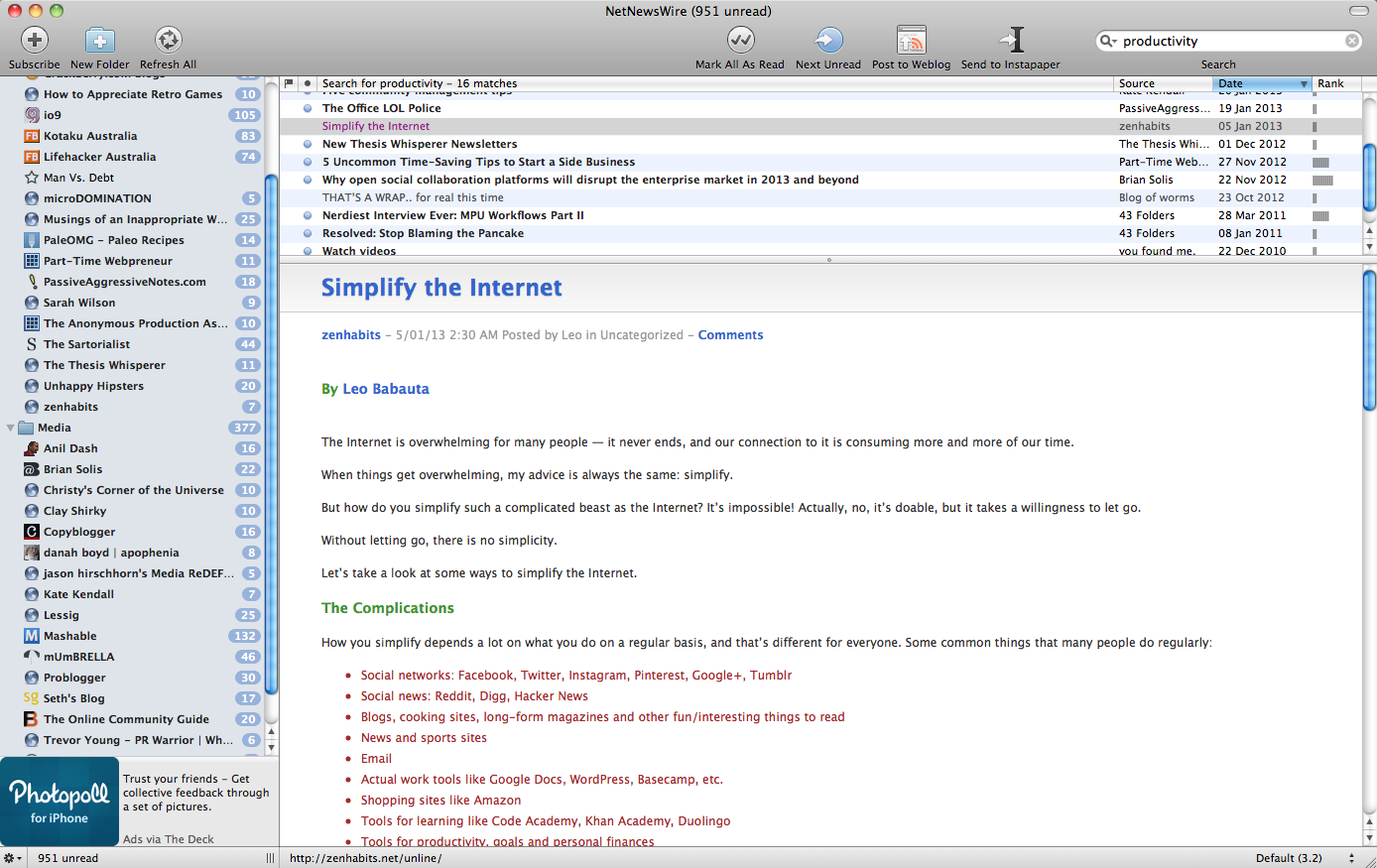
So a search for ‘productivity’ returned a handful of articles from the 1000-odd available in my RSS feeds. The first one that caught my eye was Simplify the Internet from Leo Babauta’s zenhabits blog (one of my all-time favourites!)

sshot-nnr

This post identified one of the major barriers to productivity that most (if not all) of us will experience: the ability to manage the sheer volume of information we can access on the internet without letting it overwhelm us.

Babauta’s core message is straightforward: simplify your use of the internet and let go of the need to consume every bit of information you come across.

There are a number of strategies outlined in the article, but in a nutshell:

  • Reduce the number of social networks you use to 1-2 core sites, and use them infrequently
  • Reduce the number of sources you read on a regular basis; scan them and save the articles you want to read with Instapaper (although I prefer Evernote’s Clearly plugin) and make time to read those articles without distractions
  • Clear your inbox, process anything that needs actioning immediately (don’t double handle) and filter everything
  • Don’t be afraid to let go of apps, tools, sources, etc.

While I certainly think there are some great ideas in this post, I’m not 100% convinced that one should implement all of them (especially if you want to work in the media industry, for example!) I think the most valuable advice is that you shouldn’t be afraid to let go of things; it is something that takes a bit of practice but, once you get used to it, it makes processing various information streams much, much easier.

Delving deeper into my RSS feeds, I found a number of articles that had varying degrees of relevance to the topic of productivity (I’ll list some at the bottom of this post, if you’re interested in reading more). What struck me as most interesting, however, was the speed at which I found all of this information. It’s clear that using RSS feeds is a very productive way to do research and use your time more effectively. It’s definitely something I’ll look to do more of in the future.

Other articles related to productivity, decluttering and the like…

  1. Zero Clutter
  2. Turn your notes into writing using the Cornell method
  3. 16 Simple Photo Tips to Get More Money When Selling Your Things
  4. 5 Uncommon Time-Saving Tips to Start a Side-Business
  5. My Simple Things
Standard
Everything Else

Why isn’t the Kobo app working on my Blackberry Playbook?

I’ve been struggling with this question since I started using my Playbook late last year.

A Google search on the subject shows that the Kobo app has had issues for quite a while. There have been a lot of complicated answers suggested by fellow Playbook users about how to resolve it, but nothing “official” or so it would seem.

I’ve tinkered and I’ve tweaked and I’ve reinstalled and rebooted a countless number of times. I really thought I had tried everything until I found a little reply on a Crackberry forum post (see reply #16 by diegonei) about the subject.

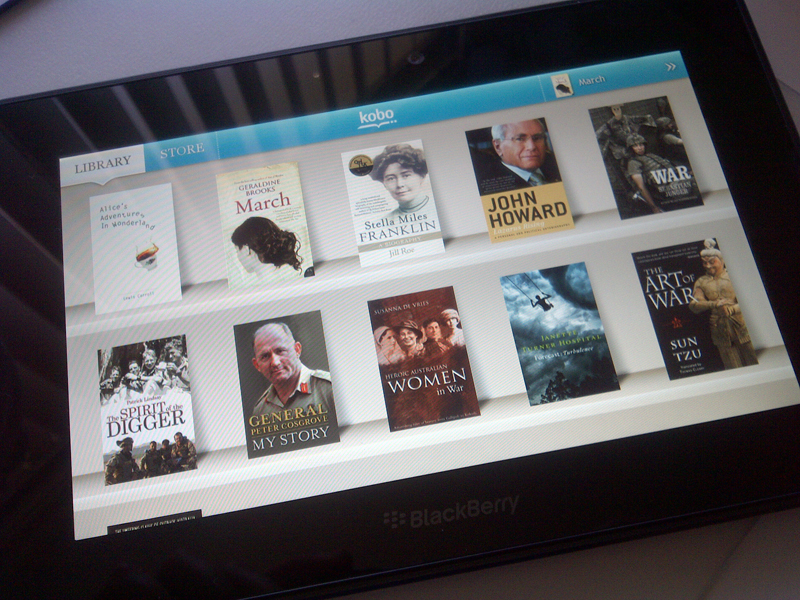
In short: make sure that your language is set to English > US. Mine was set to English > Australia and all I was getting was a white screen and not much else. As soon as I changed it, voila! The app started up perfectly!

The Kobo app in perfect working order!

The Kobo app in perfect working order!

Once I logged in and got it going, I tried changing the language back to English > Australia and the app still works fine. It appears that it’s an issue relating to your first login only (although don’t quote me on it!)

Thank you Crackberry forum users, you are awesome! xoxo

Standard
Networked Media, Produce This!

Six degrees of social networking

“I read somewhere that everybody on this planet is separated by only six other people. Six degrees of separation. Between us and everybody on this planet. The president of the United States. A gondolier in Venice. Fill in the names. I find that a) tremendously comforting that we’re so close and b) like Chinese water torture that we’re so close. Because you have to find the right six people to make the connection. It’s not just big names. It’s anyone. A native in the rain forest. A Tierra del Fuegan. An Eskimo. I am bound to everyone on this planet by a trail of six people. It’s a profound thought. How Paul found us. How to find the man whose son he pretends to be. Or perhaps is his son, although I doubt it. How every person is a new door, opening up into other worlds. Six degrees of separation between me and everyone else on this planet. But to find the right six people.”1

“Oh my gosh, it’s such a small world!”

If I had a dollar for every time I repeated that phrase, I would certainly be a wealthy woman. And yet it never ceases to amaze me how many people I know who are connected to other people I know; especially when those connections seem to be completely random.2

Nowhere are these connections more evident, however, than on social media sites. Whether it’s Facebook friends, LinkedIn connections or Google+ circles, sophisticated social networks identify these links for us and make suggestions about the dots we may not have otherwise connected.

With that in mind, I wonder if it is the discovery of these connections that make social networks such an addictive pastime for so many of us? Where else can one stalk keep track of all their friends, family, colleagues and acquaintances, all at the one time, with the added benefit of being able to identify how all of these links correlate?

Why do we strive to have so many 'friends' on Facebook, anyway? This venn diagram says it all, really (Image courtesy of Despair.com)

Why do we strive to have so many ‘friends’ on Facebook, anyway? This venn diagram says it all, really.
Image courtesy of Despair.com

The BBC documentary Six Degrees of Separation explores the idea that many of the world’s most complex systems – right down to the cellular level – are underpinned by Network Theory. If this is in fact true, then perhaps there is an innate sense within all of us to search out these links and make these connections, or even to become ‘hubs’ of human connection.

And that could certainly explain why some of us strive to have so many ‘friends’ on Facebook, too.

[ This post is a response to the flipped lecture on BBC’s documentary Six Degrees of Separation ]

1. Quote from the play ‘Six Degrees of Separation’ by John Guare
2. Funnily enough, it is the concept of the random connection that was the key to proving how Network Theory works.

Standard